The ways to work with Claude, and how to build with each one.
Workshop LeadSantiago Restrepo
HOW WE WORK
We put AI to work for people. Not the other way around.
500+hours of hands-on AI coaching
We start with you, not the technology. The whole point is to make AI serve the way you already think and work: hands-on, practical, and genuinely fun. You walk out with AI working for you, not one more tool to manage.
Santiago RestrepoAI SHERPA · YOUR GUIDE FOR THE DAY
The room today
This is who's in the room.
From your own registration answers. Almost everyone here already uses AI every day, so we are not starting from zero. We are going further.
Curious, barely tried it
0%
Use it now and then
0%
Daily AI user
71%
Build projects, use Co-Work
29%
Build & automate with Code
0%
From 14 of you who signed up. Mostly Marketing, a few from Ops and Brand Creative.
The room today
And this is what you came to build.
I read every answer. A few themes came up again and again. The bigger it is here, the more of you asked for it.
Automated reportingDoing it rightTask monitoringConnectorsData integrityClaude vs GPTCowork vs Code
These shaped today. The reporting and automation ones, we can start making real by tonight.
The shape of the day
Two halves. First you master the basics, then we build together.
MorningMaster the basics
01Understanding the Claude ecosystem: the models, and the three ways to work (Chat, Cowork, Code)
02Talking to Claude well, and building your master prompt: prompts, brain dumps, Wispr Flow
03Build your first assistant with Projects
04Turn your assistant into a Skill, and build skills from scratch
05A look at what's next: plugins, scheduled tasks, and other advanced features
06Other models worth knowing: Gemini for deep research, ChatGPT for image generation
AfternoonBuild together
›Building in public: bring a real problem you are working on
›We work through it live, screens shared, as a group
›Open Q&A: anything you want to put on the table
›Watching each other build is how the whole room levels up
010203040506
Module 01 of 06
Understanding the Claude ecosystem
ANTHROPIC'S REAL PRODUCT
The product is the intelligence itself.
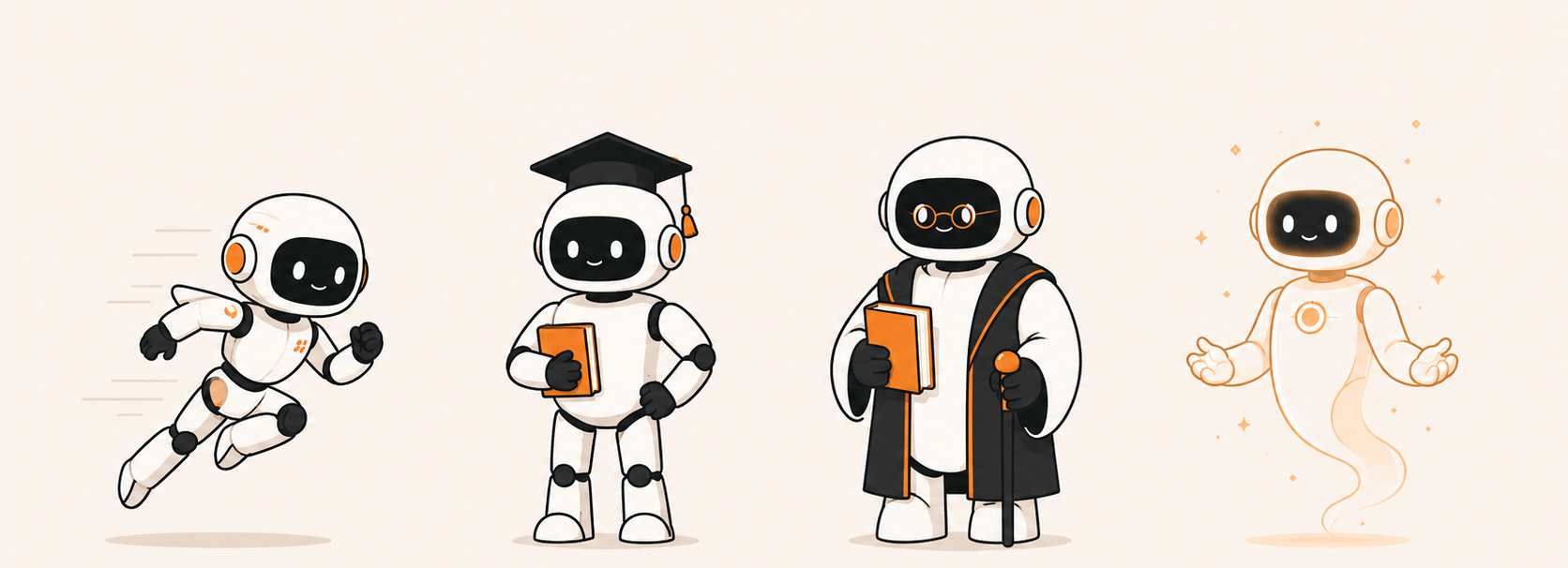
HaikuFast and lightweight, for quick high-volume tasks.
SonnetThe balanced default for most everyday work.
OpusThe most capable, for the hardest reasoning.
FableThe newest and most experimental, rarely seen.
To let people actually use these models, Anthropic built three environments to work with them.
The Framework
There are four ways to work with Claude. Most people don't know the difference.
1 Claude API
2 Claude Chat / WEB
3 Claude Cowork / DESKTOP
4 Claude Code / TERMINAL
1 · API
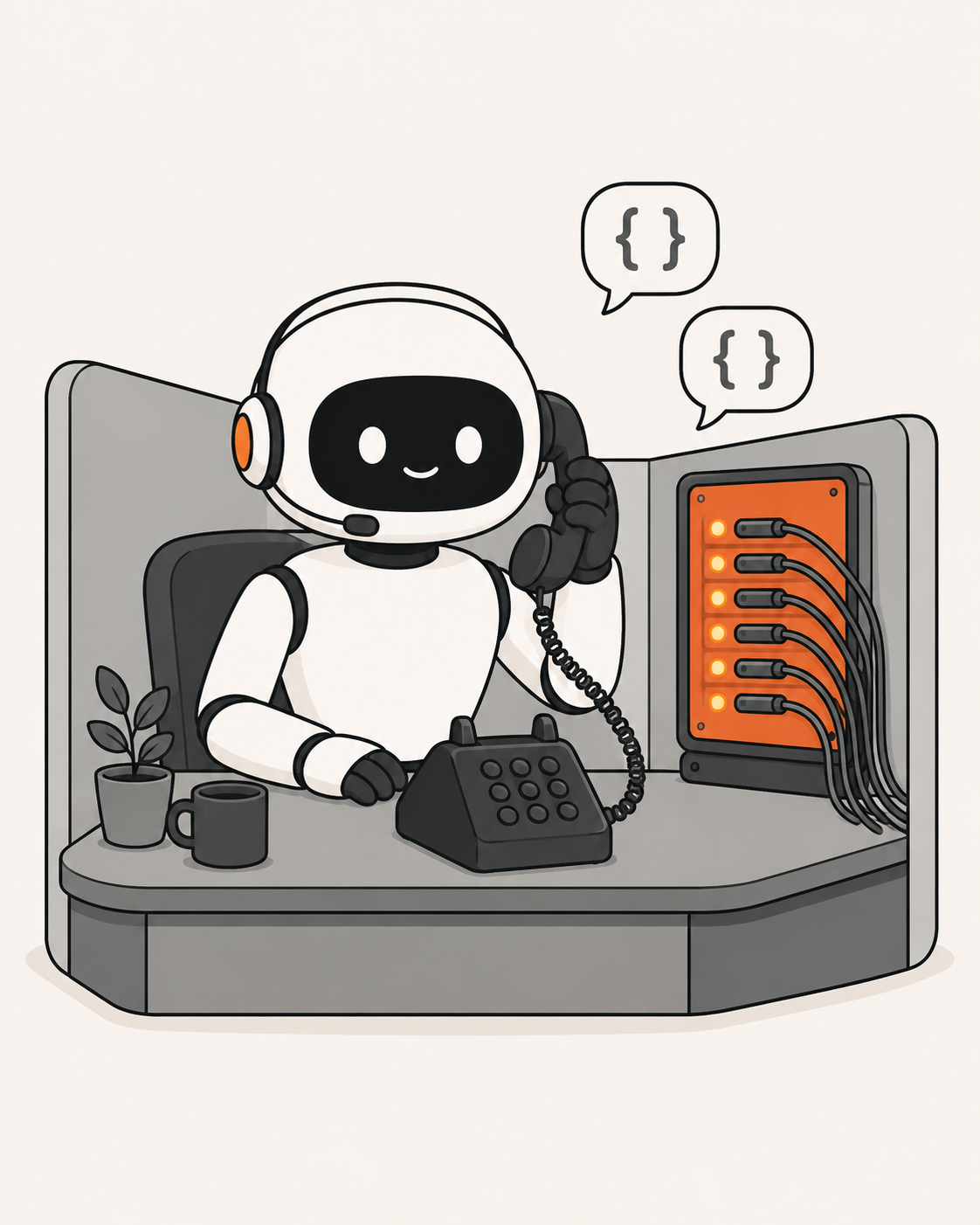
Claude API
You wire Claude straight into your own software.
An API is how two pieces of software talk to each other, with no person typing in between. Instead of you chatting with Claude, your own tools call Claude directly: to read, write, sort, or generate, at scale and on their own. It is how Claude gets built into a product or a workflow that just runs. We will not go deep today, just know it exists.
Built for: developers and automations
2 · Web
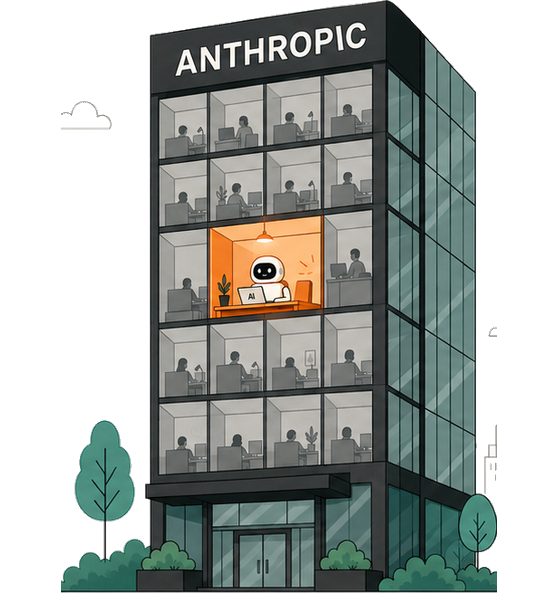
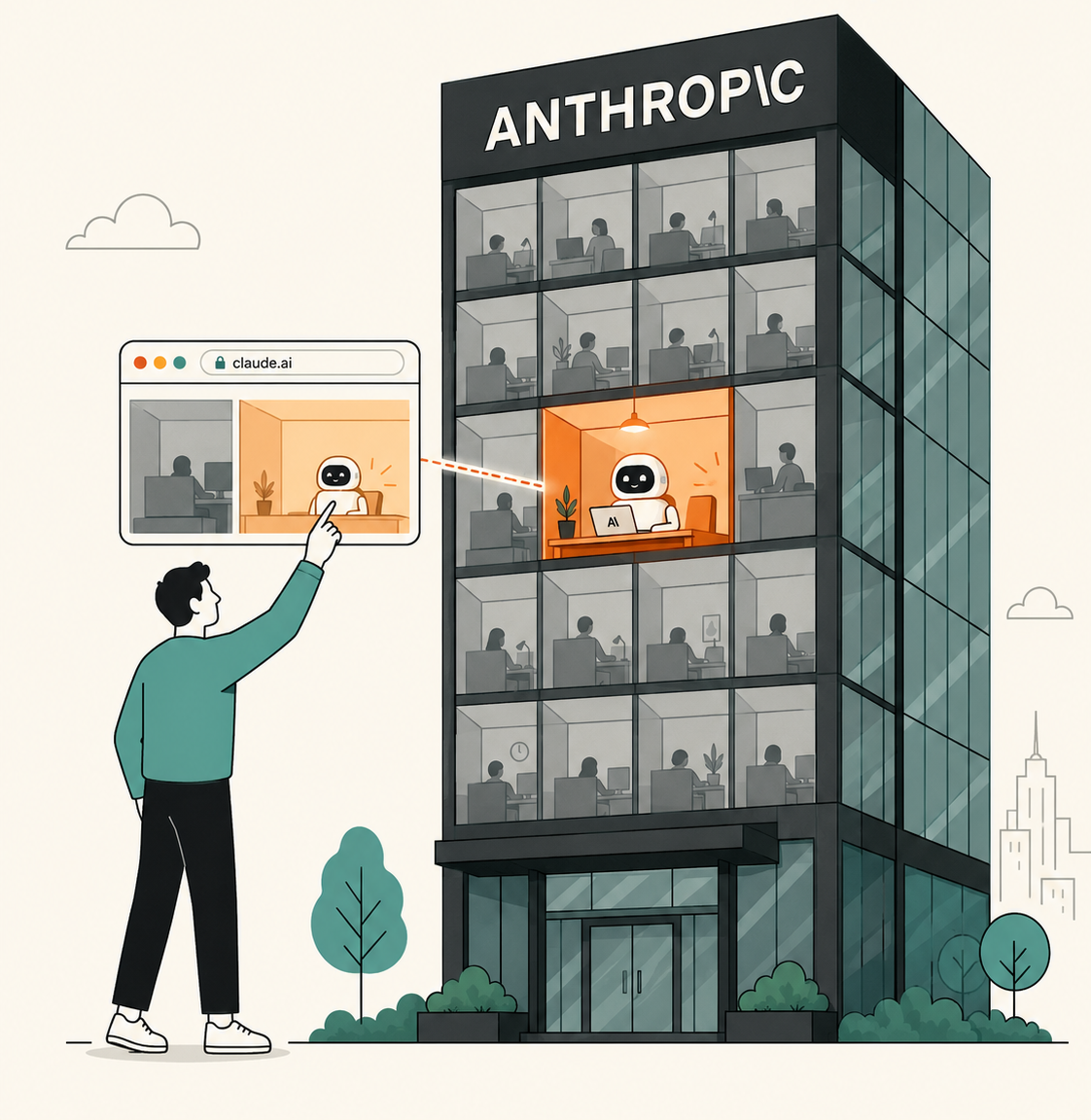
Claude Chat
You rent a cubicle in their building.
You rent a workspace inside Anthropic's offices. Your password is the key to your account, and your files live on their servers, not yours. Space is limited, but you can reach it from anywhere, even your phone.
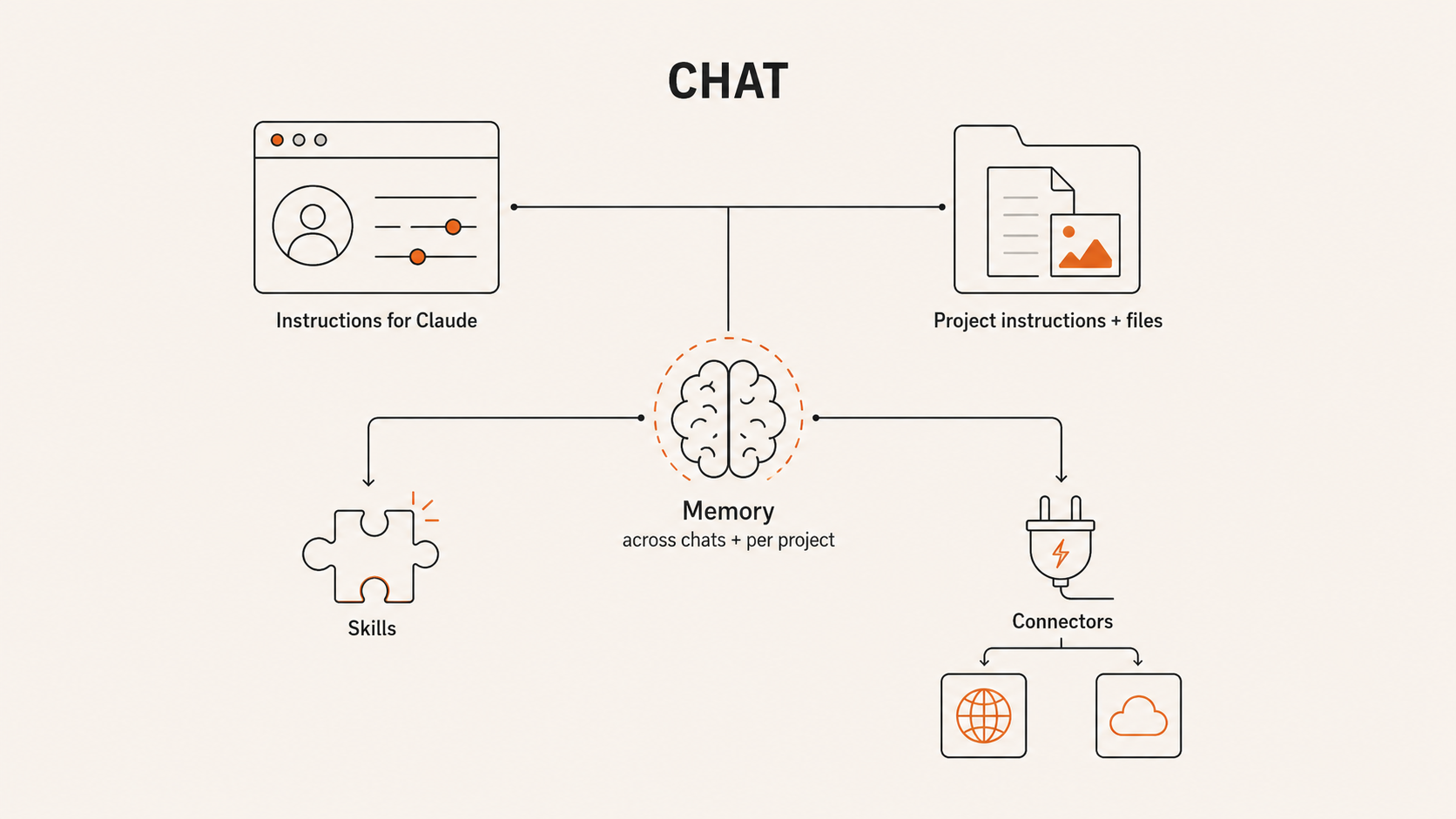
Instruction layer: Master Prompt
3 · Desktop
Claude Cowork
You bring the mind into your own house.
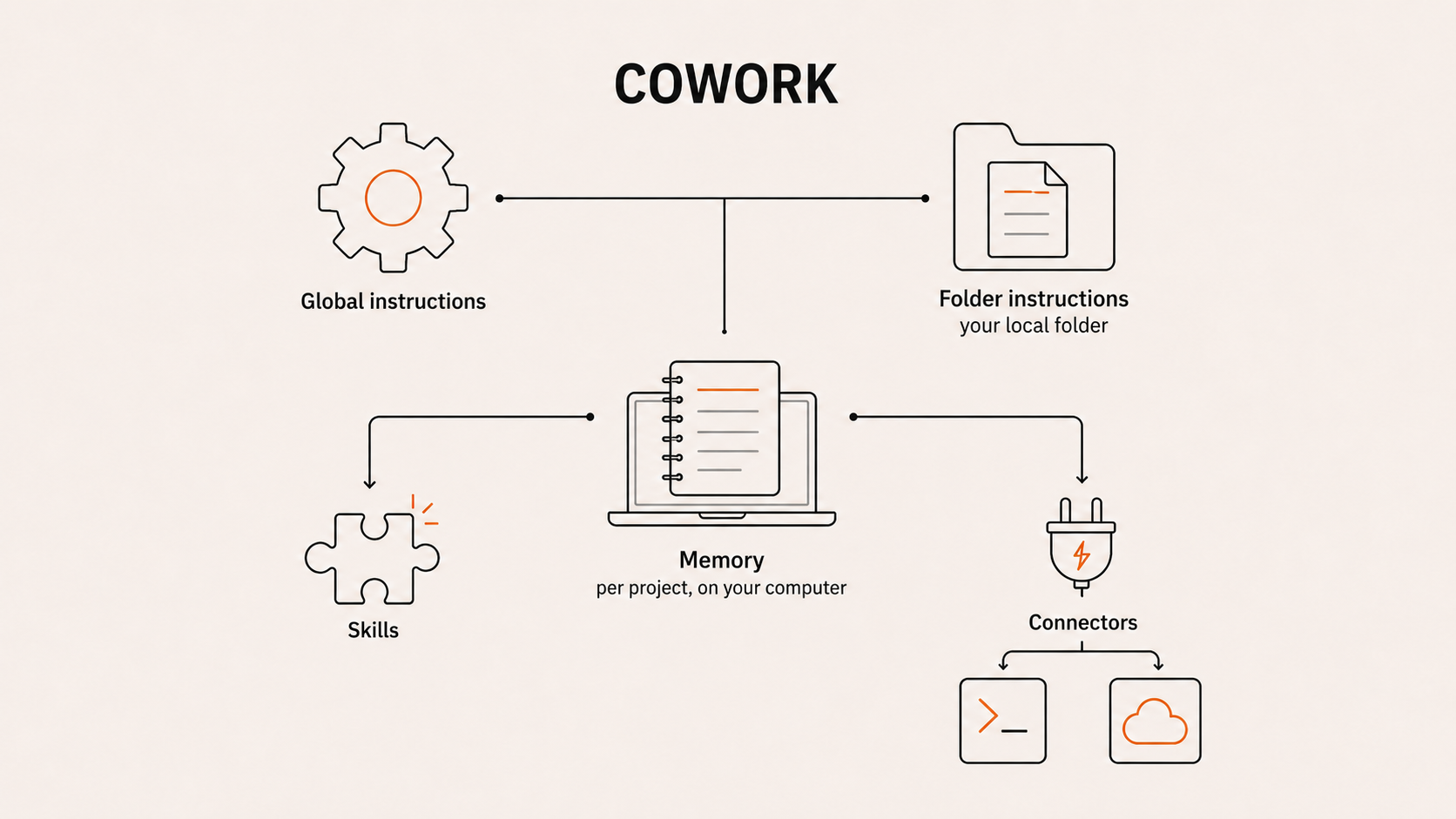
Instead of going to their offices, you bring Claude home. It works directly in the folders on your computer: no uploads, no size limits. Folder instructions give it a memory that loads every session. Powerful, with guardrails still on.
Instruction layer: Folder instructions
4 · Terminal
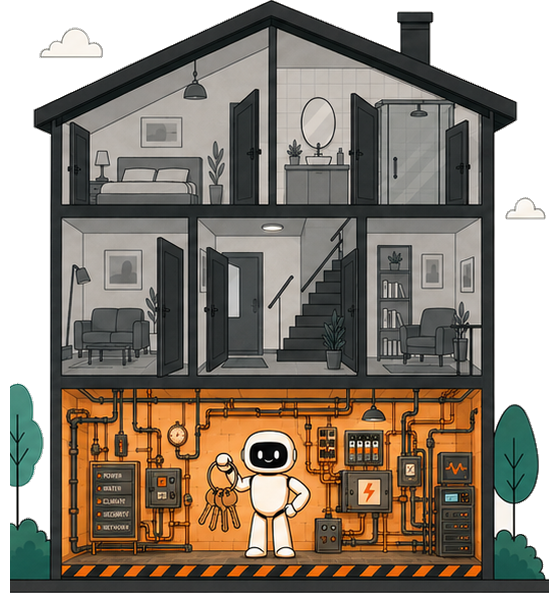
Claude Code
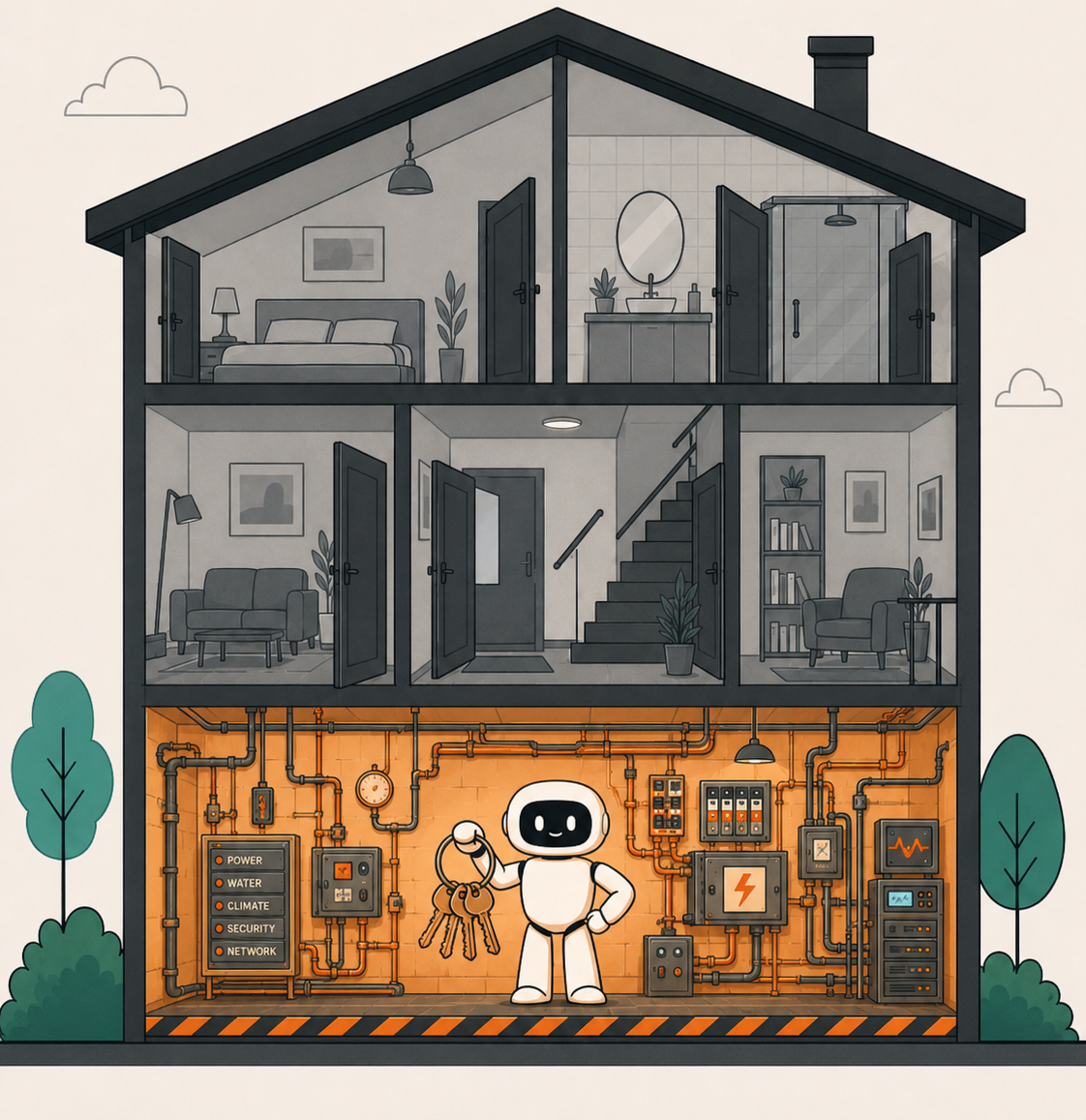
You hand over the keys to the whole house.
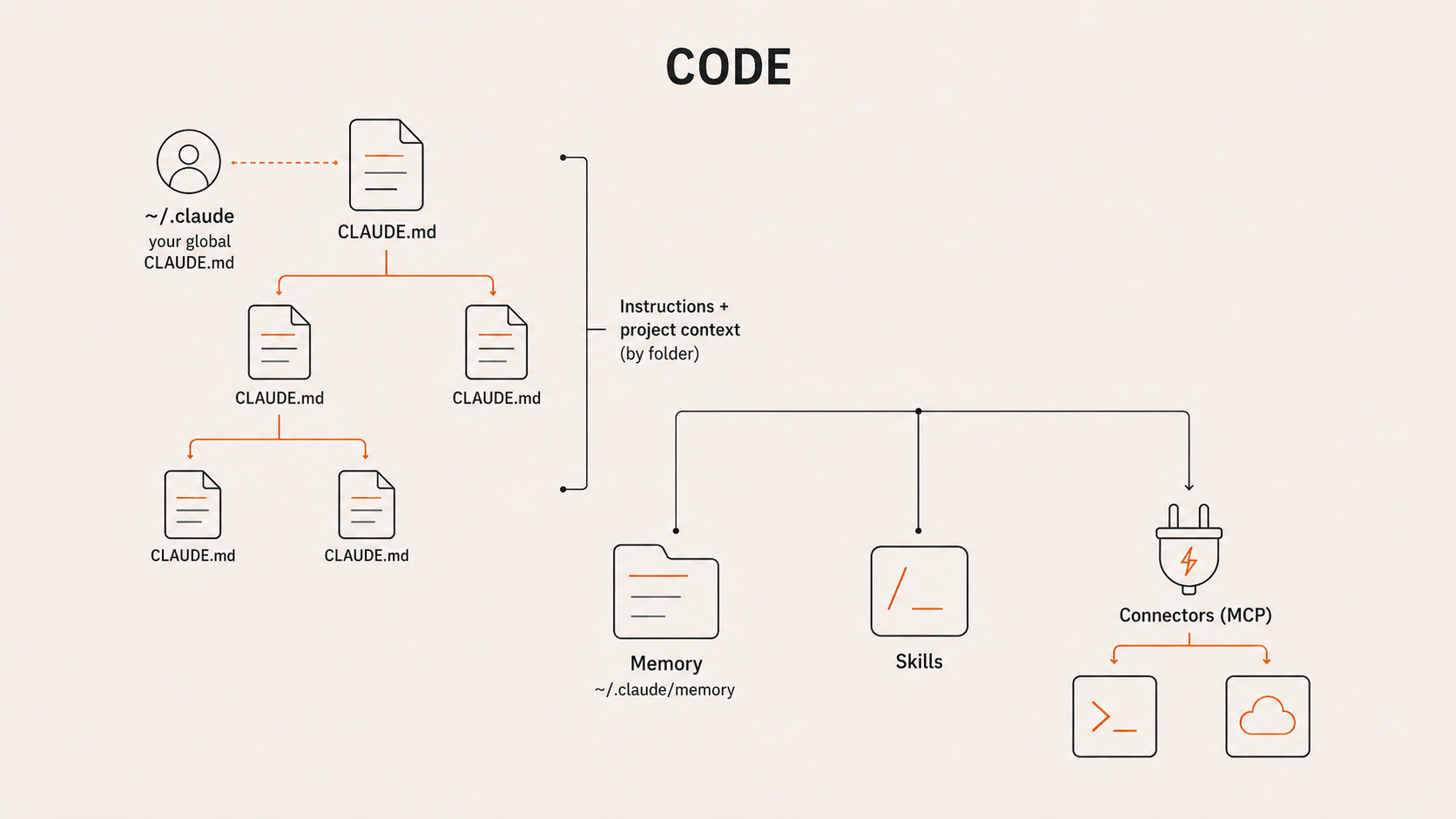
Full access to your machine. It can build, run, and ship, not just talk. The most powerful and the most technical of the three. Memory, skills, and automations all live here.
Instruction layer: CLAUDE.md, skills, hooks
Across Chat, Cowork & Code
What lives where.
● Available◐ Partial○ Not available
Capability
Chat
Cowork
Code
Standing instructionsa note Claude reads every time
●
●
●
Projects & project filesa saved workspace of context and files
●
●
◐
Memory across sessionsit remembers between conversations
●
◐
●
Skillsteaches Claude a task, your way
●
●
●
Pluginsa bundle of skills, connectors and commands
●
●
●
Connectors (MCP)a live link to your other apps
●
●
●
Subagents & agent teamsClaude spins up helper Claudes
○
◐
●
Hooksauto-rules that fire at set moments
○
○
●
Scheduled tasks (local)recurring jobs on your machine
○
●
●
Cloud Routinesrecurring jobs that run in the cloud
○
○
●
Remote / background agentsstart it, walk away, it finishes
○
○
●
Artifactsa live panel for docs and dashboards
●
◐
◐
Direct local file accessworks right in your computer's files
○
●
●
Code execution sandboxactually runs code to test things
○
●
●
Computer useclicks, types and navigates a screen
○
◐
●
THE ONE FILE TO REMEMBER
CLAUDE.md: the note Claude reads every time.
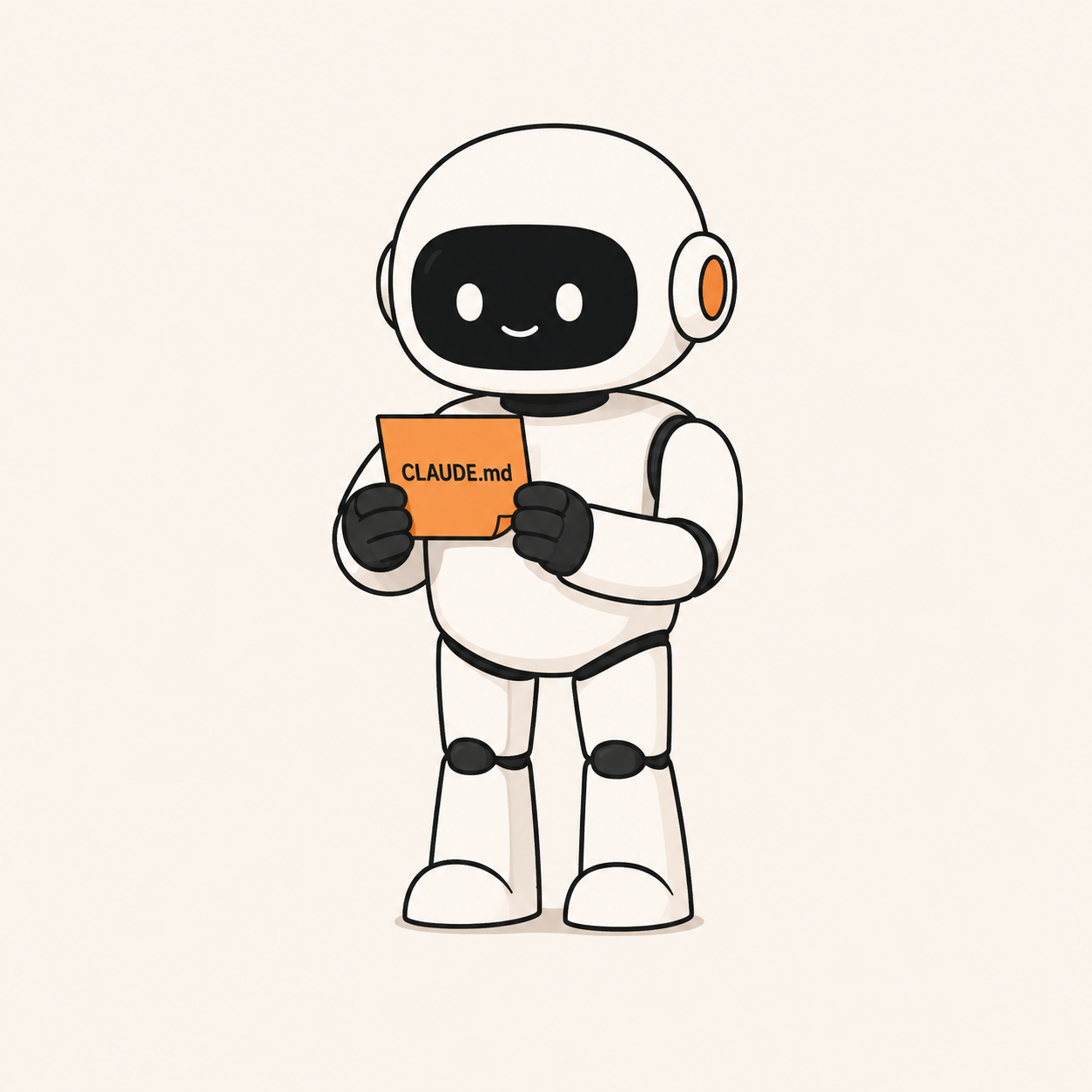
Think of CLAUDE.md as a sticky note left inside a folder. Every time Claude opens that folder, it reads the note first: who you are, how you work, what matters. Each surface has its own version of that note.
Chatthe Project instructions
Coworkthe Folder instructions
Codethe CLAUDE.md file itself
Now let's go build with it.
010203040506
Module 02 of 06
Talking to Claude well, and your master prompt
Talking to Claude well
Treat it like a smart colleague.
The newer models reward collaboration over commands. Take one job all the way through, and watch how each move plays out.
The jobturn this week's channel numbers into a report you can present Monday.
1 Co-define before you delegate
"Before you write anything, read last week's report and this week's raw export. Ask me five questions about what I care about, then propose an outline."
2 Stay in the messy middle
First draft's "why" is thin? Keep steering while it's rough: "that's surface-level, what actually caused the week-over-week dip?"
3 Brief by meaning, not file names
Not "open Q3_final_v2." Say: "grab the affiliate recap I wrote near the end of Q2 and this month's send calendar," and let it find them.
4 Co-write your prompts
"What four prompts, in order, would take this from raw export to finished report?" Tune them together, then have it run them in sequence.
5 Delegate real, long work
Once the brief is set, hand over the whole job: "now do all five channels for the full month and assemble the deck," not one chart at a time.
6 Re-test every few weeks
Next month, hand it more in one go. What took three rounds today might land in one as the models keep improving.
Talking to Claude well
From prompt engineering to context engineering.
What changed across 2025: the newer models follow plain instructions reliably, so the win is no longer clever wording. The bottleneck moved from how you phrase the ask to how completely you brief it.
Prompt engineering
the old way
Clever wording and phrasing
Tricks, frameworks, role-play
A short "magic" prompt
Outsmarting a limited model
Context engineering
the new way
Complete, relevant information
Documents, examples, goals, constraints
A rich brief, everything attached
Fully equipping a capable model
This is why we build a Master Prompt: stop hunting for the perfect sentence, and hand Claude the full picture once.
Talking to Claude well
Know its memory cutoff, then make it search.
Every model is trained up to a certain date, and it only learned what was common enough to absorb. Ask about something recent, niche, or obscure and it may answer from memory: confidently, and sometimes wrong or out of date.
The fix
›Keep web search turned on, so it can look things up instead of guessing.
›When it matters, tell it to search. Don't assume it did on its own.
›Reach for it the moment something is recent, niche, or just not coming out right.
Paste this
"Search the web for this and cite your sources. Don't answer from memory."
Rule of thumb: recent, niche, or the answer feels off? Make it search before you trust it.
Talking to Claude well
Talk to it. Don't type.
The fastest way to give Claude the full context is your voice. You hand it the whole thought instead of rationing keystrokes.
Why dictate
About 3 times faster than typing
You give the full brief, not a keyword
Lower friction, so you actually add context every time
Why it works
These models are built from language: they learned by predicting the next word across enormous amounts of text
The closer your input is to natural, complete speech, the better they respond
Wispr Flow
Press a key, speak, and clean text lands in any app, filler stripped out.
Scan to downloadmy referral link
Typed: "competitor analysis Q3 slides." Spoken: "Look at our top three competitors, pull what changed in their positioning this quarter, then draft three slides I can present." Same effort, far more for Claude to work with.
Demo 1 · Claude Chat
Start at the front door: Claude.ai.
What it is
Claude.ai, in your browser or on your phone. The most accessible way in, and where most people meet Claude.
Where we will take it
Past quick answers. We give Claude a Master Prompt, then build a specialist that does real work.
Like renting a cubicle in Anthropic's building.
Demo 1 · The Master Prompt
Tell Claude who you are. Once.
Most people treat Claude like Google: short questions, generic answers. The unlock is context. Answer eleven questions out loud, and Claude writes your Master Prompt.
Did the pre-work? The voice note you recorded about yourself already answers most of these. Hand Claude that recording instead of doing the eleven live.
The 11 questions
Built once, by voice
1Your name and what you do
2Years in your field, and where you have worked
3The two or three projects that define you
4What you are working on right now
5The biggest problem you are solving today
6Your strongest belief about your work
7The tone you want from Claude, and the one you do not
8The role Claude should play: assistant, partner, or coach
9The habits that work against you, and what to flag
10Who you work with and for
11The language you work in
01Answer 11 questions out loud
02Wispr Flow turns your voice into text
03Ask Claude to write your Master Prompt
04Paste it into your profile
A living document. Refresh it after any big change, or at least every six months.
Your turn
Now you build your Master Prompt.
Give Claude your context once. You have about 10 minutes, and you can ask questions any time as you go.
01Open Claude.ai and start a new chat
02Answer the eleven questions out loud, or hand it your pre-work voice note
03Ask Claude to write your Master Prompt
04Paste it into your profile settings
About 10 minutes · ask questions any time
010203040506
Module 03 of 06
Build your first assistant with Projects
Demo 1 · Build a specialist
Build a specialist, then put it to work.
Now that Claude knows you, give it one job. The same idea, getting more specific each step.
Knows you
Master Prompt
General context about who you are and how you work.
general
One job
System Prompt
A specialist built for one task, dropped into a Project.
specific
Delivers
Real task
Finished deliverables, ready to use.
result
Demo 1 · The System Prompt
Give it real expertise.
You don't have to be the expert. Claude researches the field first, then writes the brief that makes it one.
A System Prompt is the brief for one job: the frameworks it follows, the method it uses, and what a good result looks like.
FrameworksMethodGuardrailsOutput formatVoice
Built with Deep Research
01Define the one job
02Deep Research the ideal expert
03Claude writes the System Prompt
04Drop it in a Project, then run the task
Claude does the research, so you don't have to be the domain expert.
Demo 1 · Two kinds of instruction
Master Prompt vs System Prompt.
Everywhere
Master Prompt
About you.
Lives in your profile. Applies to every chat you start.
One project
System Prompt
About one job.
It is the project's instructions. Applies inside that Project only.
Your turn
Okay, now you build it.
Build your own assistant from scratch. You have about 20 minutes, and you can ask questions any time as you go.
01Define the job that needs to be done
02If it needs it, do the deep research first
03Ask Claude to write the system prompt
04Drop it into a Project
05Add any resources it needs
06Test your assistant and iterate
About 20 minutes · ask questions any time
010203040506
Module 04 of 06
Turn your assistant into a Skill
Module 04
What is a skill?
A skill is just a folder you can zip up and share (its packaged file ends in .skill). Plain files tell Claude how to do one job well, and it only opens them when it needs them.
The shape
your-skill/
SKILL.mdthe instructions (its system prompt)
scripts/optional code it can run
references/material to consult
templates/reusable templates and assets
An example
dashboard-builder.skill/
SKILL.mdThe recipe Claude follows: ask which numbers matter, read the data file, apply our colors, then build and lay out the charts. Its description, "build me a dashboard," is what makes Claude reach for it.
scripts/build_dashboard.py turns a spreadsheet into finished charts, so Claude runs the code instead of rebuilding the logic each time.
references/brand-guidelines.md holds our palette, fonts and chart styles, so every dashboard comes out on-brand.
templates/past-dashboards/ are two or three we shipped before, for Claude to match the layout.
Same four parts as any skill, filled with real contents. Then you invoke it anywhere: any chat, Cowork, or Code, by slash command or just by asking.
Project vs Skill
Same ingredients. One stays put, one travels.
In a Project
As a Skill
Instructions
Your system prompt
=
SKILL.md
Reference material
Files you add
=
references/
Templates & examples
Files you add
=
templates/
Code it can run
not its job
+
scripts/
Static. A project lives in one place. You bring your work to it.
Portable. A skill goes anywhere. Invoke it by slash command or just by asking.
Built an assistant you rely on? Because the anatomy is almost identical, you can lift it into a skill, use it everywhere, and share it with your team.
Module 04
When and why to make a skill.
Make a skill when a task is repeatable. Build it once and it works for you every time, and you can share it with the whole team so everyone runs your best process.
Two ways to build one
1 Plan it first
01Scope the job and what the output should be
02Write the steps into SKILL.md
03Add what it needs: a template, references, a script
04Test on a real task, then refine
Example: a "weekly report" skill you design up front.
2 Do it, then compound it
01Just do the task with Claude, normally
02Refine until the output is exactly right
03Say: "turn everything we just did into a skill"
04Claude writes the SKILL.md from your process, then save
Example: you nailed one great deck, now make it repeatable.
Your turn
Now make a skill.
Turn the assistant you just built into a skill, or create a brand-new one. About 10 minutes, and ask questions any time.
Easiest path: do the task with Claude, get the output right, then say "turn this into a skill."
About 10 minutes · ask questions any time
010203040506
Module 05 of 06
A look at what's next
Demo 2 · Claude Cowork
Now bring Claude to your files.
The wall in Chat
Claude.ai is capped on file size and cannot reach your computer. You upload one file at a time.
What Cowork changes
Claude works directly inside a folder on your machine: every file at once, no uploads, no size limits.
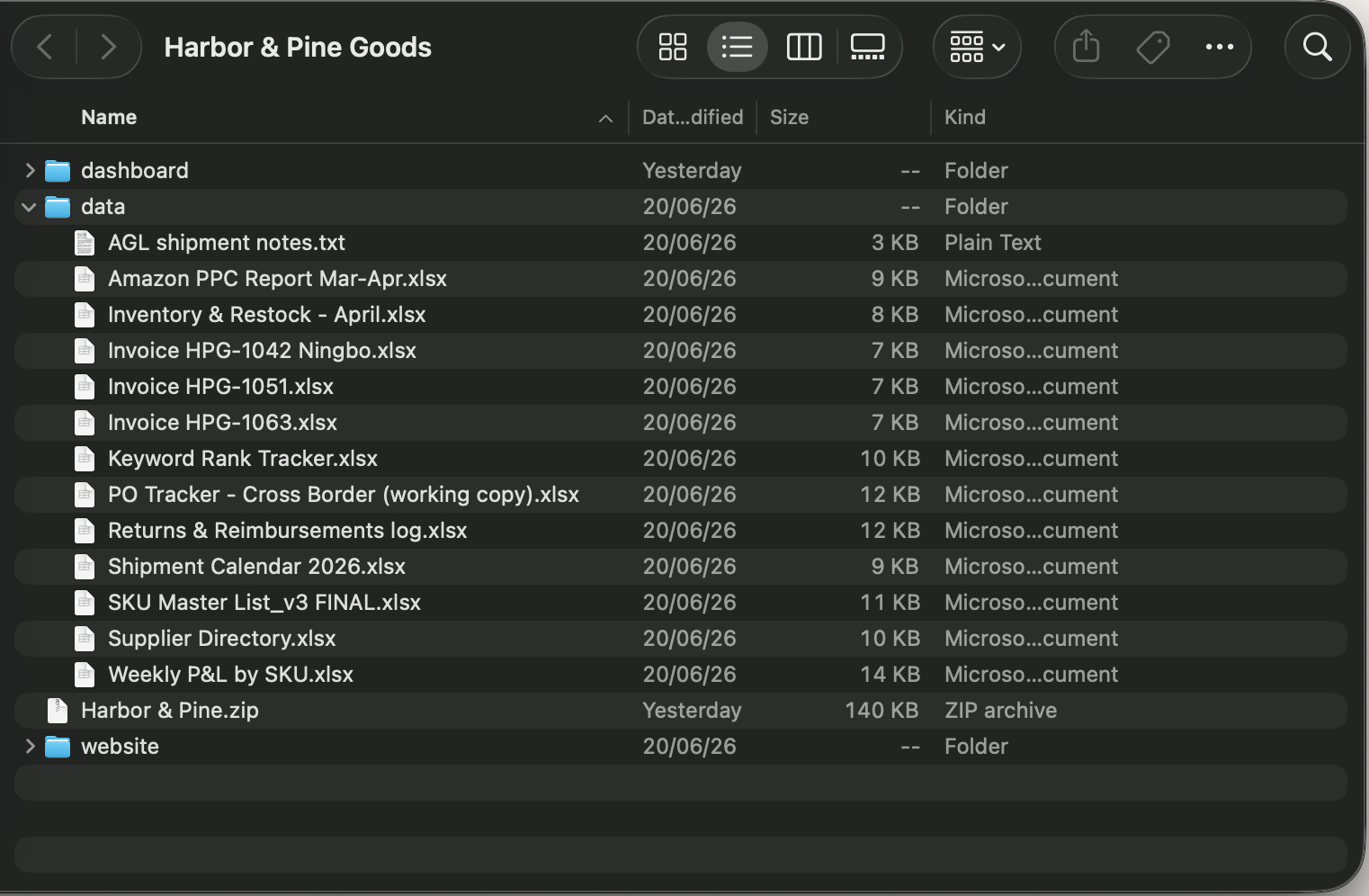
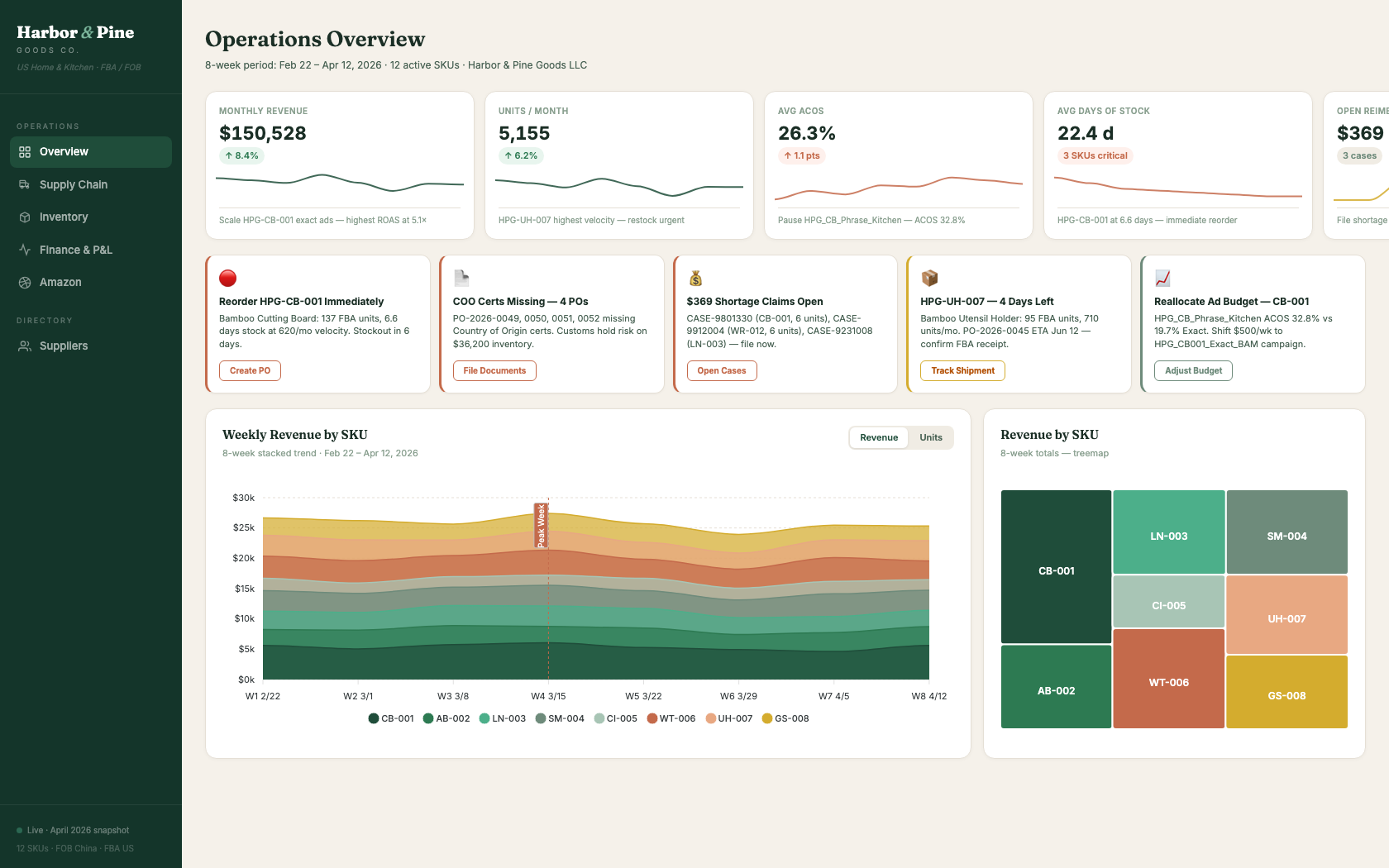
Demo 2 · What we start with
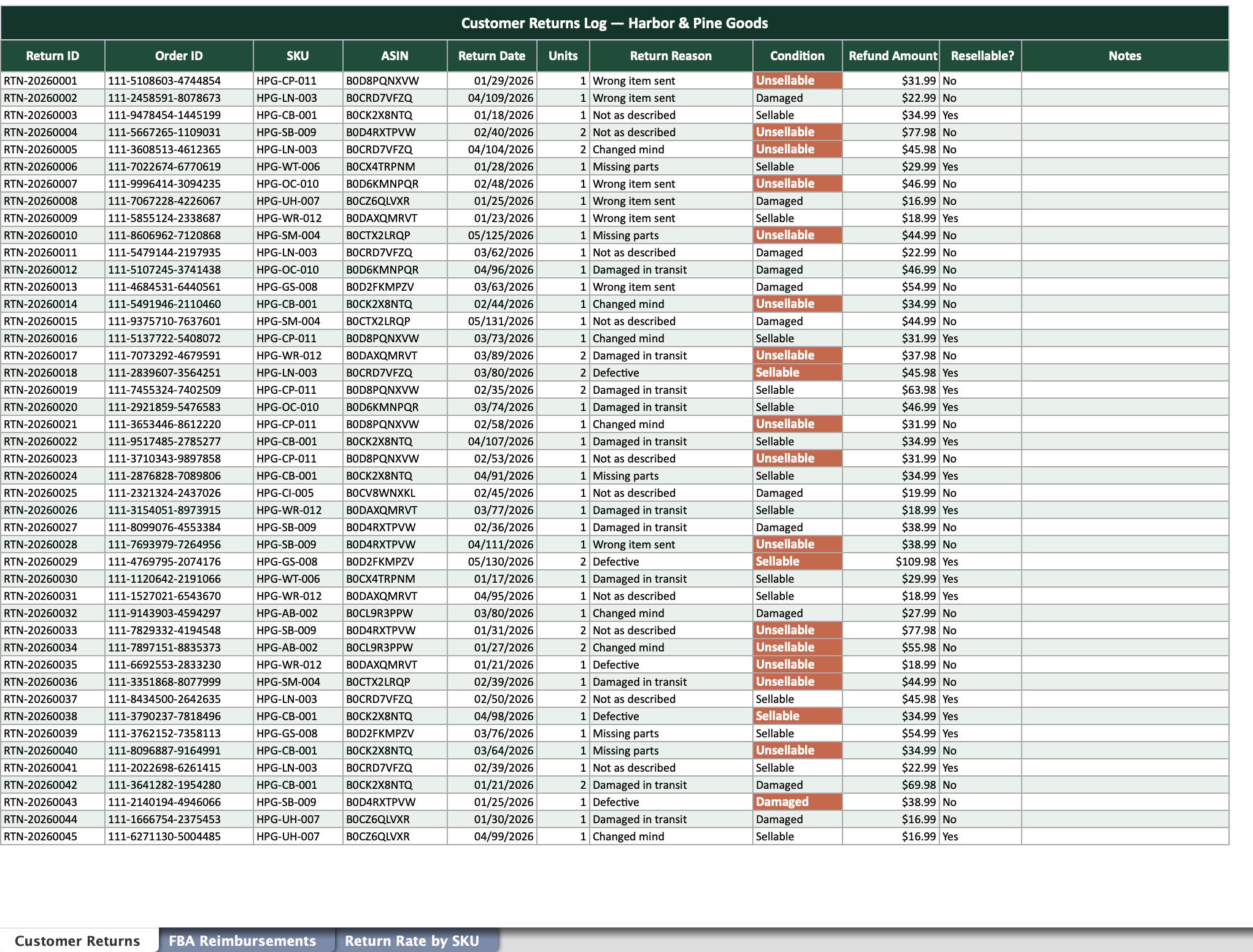
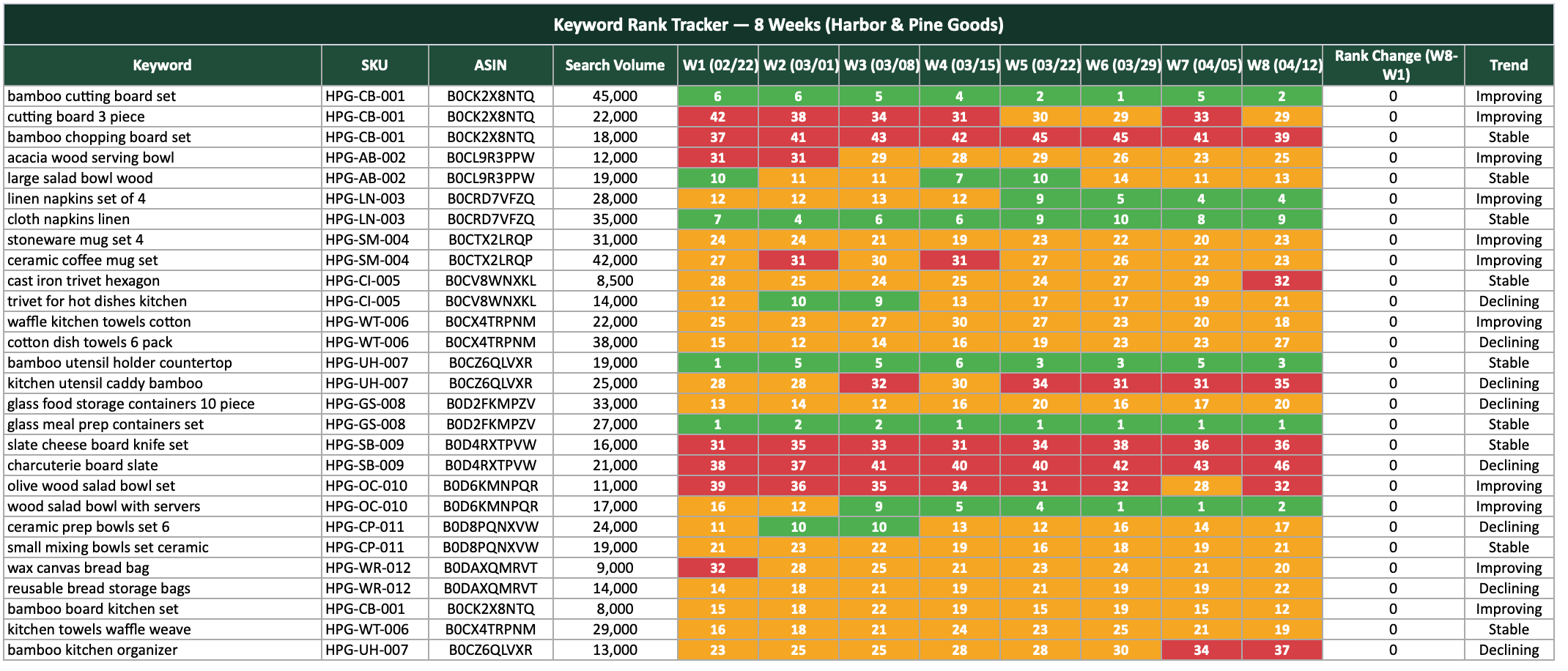
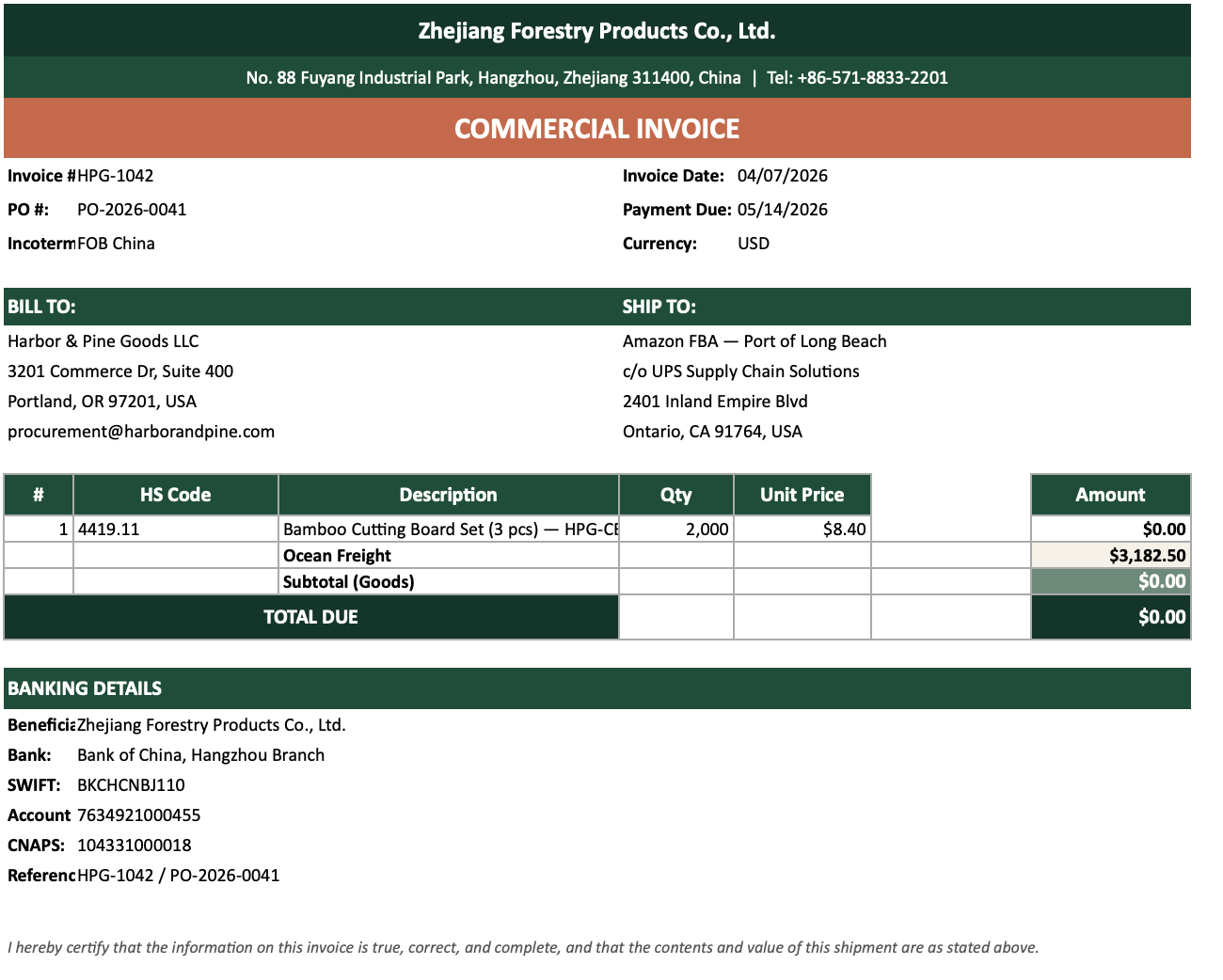
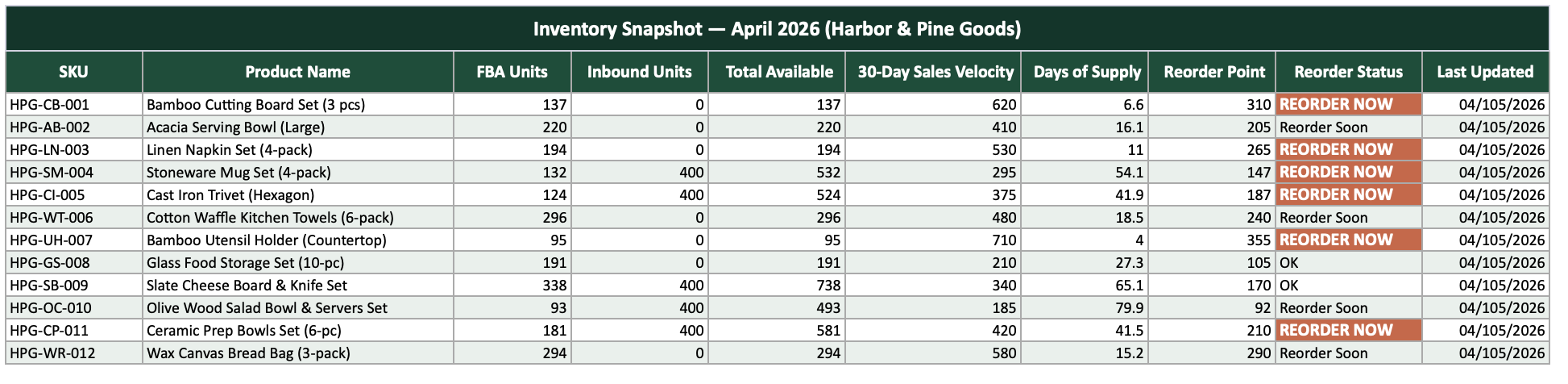
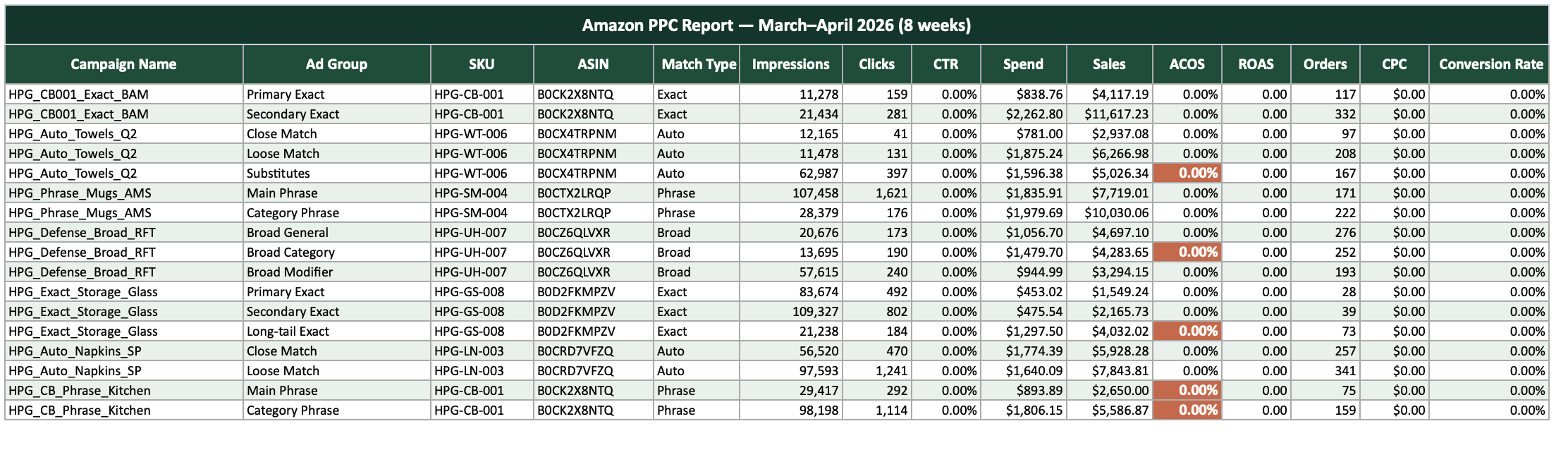
A folder full of spreadsheets.
Demo 2 · The prompt
Anatomy of a good prompt.
The dashboard is only as good as the brief. Here is what we gave Claude, and why each piece matters.
"Hey Claude, I need your help with something."
Context · who it is for
A folder, Harbor & Pine, for a client: an Amazon FBA seller buried in disconnected Excel files.
The problem · why it matters
He has no single place to see the state of his business or make decisions. It is cumbersome and easy to lose track.
The ask · what to do
Research the best dashboard designs and practices, read all of the data, and propose a highly visual, interactive dashboard he can act on.
The bar · what good looks like
A self-contained HTML file, easy to share and understand, following strong UX/UI and front-end practices.
Room to think · trust its judgment
Use HTML, CSS, React, or whatever fits. Think about what would truly be impactful for his business, and why.
Five parts, one complete brief: context, problem, ask, standard, and room to think.
Demo 2 · The result
Messy files become a live dashboard.
Click to open the live dashboard
Demo 3 · Claude Code
Now hand Claude the keys.
The edge of Cowork
Cowork builds inside your folder. Putting things live, wiring up tools, and running big multi-part jobs is still on you.
What Code unlocks
Claude gets your whole machine and the internet: sub-agents for bigger builds, and live websites it can deploy and maintain, once set up, with very few manual steps.
You still don't write code. You describe the outcome.
Demo 3 · The prompt
Anatomy of a bigger prompt.
Same idea, bigger reach. This brief asks Claude to research, design, check its own work, and put the site live.
"Okay Claude, on my desktop there's a folder called Harbor & Pine Goods."
Context · where the data lives
A folder on my desktop with the data from an Amazon FBA seller.
The goal · what to build and why
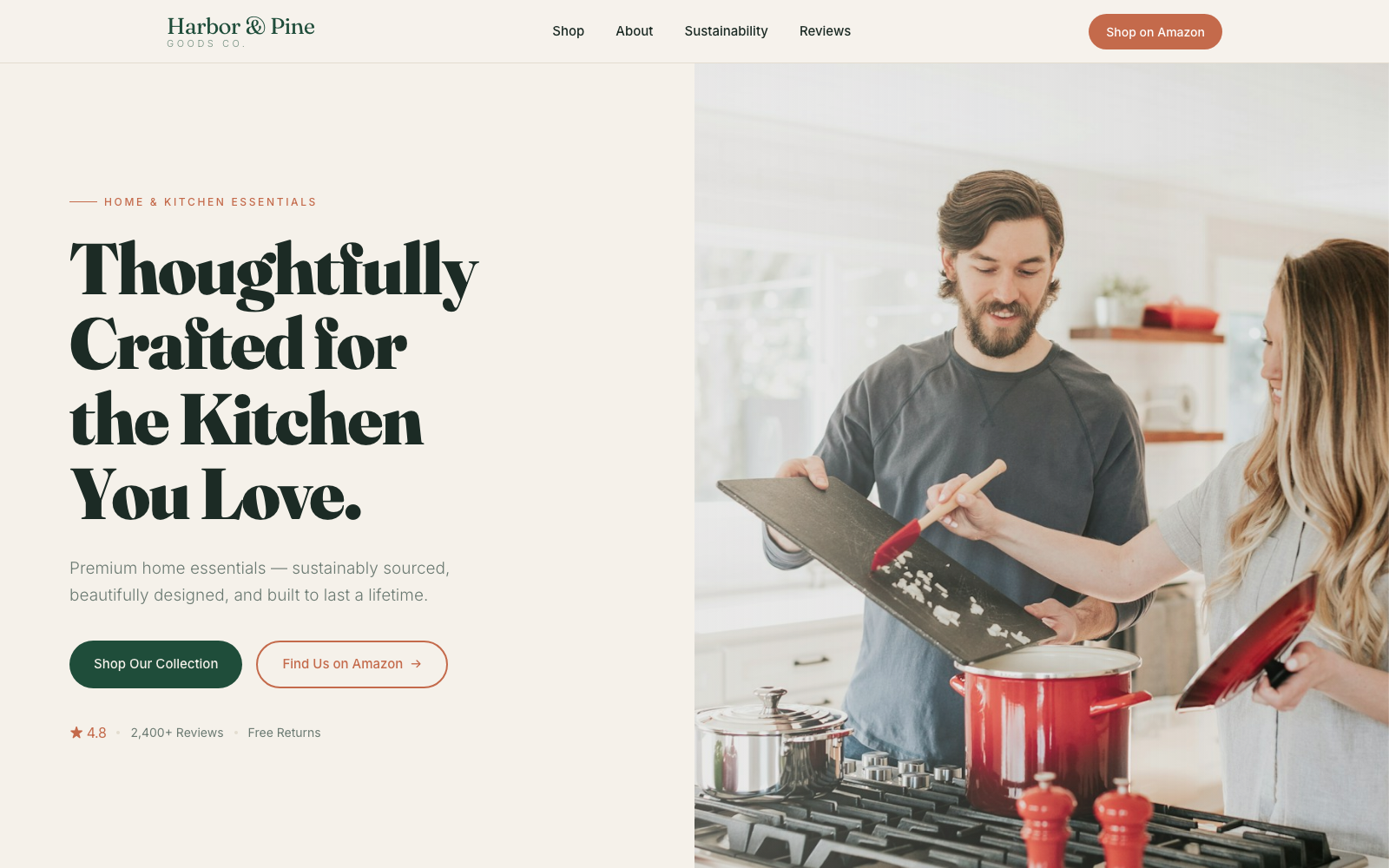
A commercial website that gives them a web presence: tell their story, show their products beautifully, and link back to their Amazon listings.
The ask · the build steps
Find which products they sell, spin up a sub-agent to search the web for high-quality photos, then use your front-end design skill and study great comparable sites.
Quality loops · make it check itself
Before showing me: critique your own design, spin up a graphic-design agent to review it against the design skill and propose fixes, then navigate the site with Playwright to confirm it holds up.
Ship it · deploy live
Host it live on Vercel using my Cloudflare account. You build and deploy; guide me through the one manual step, pointing the CNAME.
Same anatomy, bigger reach: now it researches, self-critiques, and ships.
Demo 3 · The result
The same data becomes a live website.
Click to open the live website
Beyond the basics
Other advanced features.
Skill chaining, plugins, and routines: how you go from one assistant to a whole system that runs itself.
Advanced features
Skills can call other skills.
A skill's instructions can tell Claude to run another skill, so one job hands off to the next. You build small pieces and chain them into big ones.
Report skillwrites the draft
→
Chart skillbuilds the visuals
→
Brand skillapplies the styling
We do this in our own system: the call-triage skill hands off to the summary skill automatically. Claude does the calling by following the instructions, there is no hidden skill-to-skill wiring.
Advanced features
What is a plugin?
If a skill is one capability, a plugin is the box you pack many of them into, plus the hooks, connectors and commands they need, as one installable, shareable unit.
report-pack · one plugin
Skill: build reportSkill: make chartsSkill: brand checkHookConnector: DriveCommand: /report
Plugin-only perks
One install for the whole set
Ship a fix once, everyone's copy updates
Keeps the whole team on one version
Skill or plugin? Make a skill for one job. Make a plugin when you want to ship a whole toolkit to others and keep everyone on the same version, updates included.
Advanced features · Claude Code
Routines: your AI on autopilot.
A routine is a task you save once and let run by itself in the cloud, on a schedule, even with your laptop closed. Like a cron job, but it's a whole AI teammate: it reads your sources, decides what matters, and does the next step. (A Claude Code feature.)
Good for
A morning briefing of what changed overnight
A weekly report, written in plain language
Inbox or backlog triage, summarized to Slack
A docs scan that flags what has gone stale
Skip it for
One-off tasks: just do them now
Anything that needs your sign-off mid-way
Faster than once an hour
High-stakes, real-time decisions
Most run on a schedule. They can also fire from an API call or a GitHub event for connected workflows. A "done" status means it ran, not that it nailed it: spot-check.
010203040506
Module 06 of 06
Other models worth knowing
Other models worth knowing
Claude's home base. Call a specialist when it helps.
Gemini
Google
For what's current
Grounded in Google Search + YouTube
Deep Research pulls 50 to 100+ sources
Best when the answer changes weekly
Grok
xAI
For the social pulse
Reads live posts on X directly
Best for breaking news + sentiment
Weaker on academic or technical depth
ChatGPT
OpenAI
For images
gpt-image-2: legible text in images
Strong character consistency
Neck-and-neck with Nano Banana Pro
Claude stays home base for analysis, synthesis, and building. These are specialists you reach for on purpose.
A research move
Two researchers beat one.
Run the same deep research on Claude and Gemini, then have Claude reconcile the two reports.
Your question
Claude writes one deep-research prompt
Claude runs it
Gemini runs it
Claude reconciles the two reports
You ask: "Compare both reports and tell me where they agree, where they differ, and what only one found."
Shared truthBoth reports agree. This is your most reliable ground, trust it.
ComplementaryOnly one found it. Real leads the other missed, fold them in.
ContradictoryThey disagree. Dig in by hand, this is where a hallucination hides.
Trust and verify
How to minimize hallucinations.
A model sounds most confident exactly when it's wrong. You can't switch that off, but a few habits keep you safe:
›Make it search, not recall: for anything factual, recent, or niche, tell it to use web search and ground on live sources instead of its memory.
›Cross-reference: run the same task on another model and compare.
›Spot-check the data: hand-verify a random sample; on a generated spreadsheet, trace 5 to 10 cells back to the source.
›Ask for sources: "where did you get this?" and make it cite the passage.
›Make it check its own work: have it list each claim, verify them one by one, and flag anything it is unsure of.
›Run it a few times: keep the answer that recurs, since hallucinations rarely repeat.
›Keep a human in the loop on anything high-stakes.
Another tool worth knowing
It only knows what you give it.
Upload your own sources and it answers only from them, citing the exact passage, so it won't invent anything beyond your material. Great for studying a dense pile of documents or pressure-testing a dataset. Free with a Google account.
›Grounded answers with inline citations
›Audio Overview: turns your docs into a podcast
›Auto summaries, study guides, FAQs, timelines
›Works on web and mobile
Careful with proprietary data. On the free tier your feedback can be human-reviewed. Use a Workspace or enterprise account for anything confidential.
Recap
What to take with you.
The four ways to work
1
Chat
A Master Prompt. Everyday thinking, in the browser.
2
Cowork
Folder instructions. Turn a pile of files into output.
3
Code
A CLAUDE.md. Big builds it can research and ship.
+
API
Claude wired straight into your own software.
Six habits that make it work
1
Give it context, not clever words. The brief, the files, the goal, examples of good and bad. The answer is only as sharp as what you hand it.
2
Talk, don't type. Dictating is about 3 times faster and gives Claude the full thought instead of a rationed keyword.
3
Treat it like a colleague. Co-define the task before you delegate, stay in the messy middle, then say go.
4
Build once, reuse. A Project makes a specialist, a Skill makes it portable, chained skills and plugins make a whole system.
5
Two researchers beat one. Run the same deep research on Claude and Gemini, then have Claude reconcile where they agree and where they clash.
6
Make it search, then verify. For anything recent or factual, tell it to search the web and cite. Spot-check, and keep a human on high-stakes.
The unlock never changes: give Claude context, and tell it what you want.
 ×
×

 Santiago Restrepo
AI SHERPA · YOUR GUIDE FOR THE DAY
Santiago Restrepo
AI SHERPA · YOUR GUIDE FOR THE DAY



 Scan to download
my referral link
Scan to download
my referral link
 Click to open the live dashboard
 Click to open the live website